Migrating the Pienten Helsinki blog from Wordpress to Hugo
The Story of Pienten Helsinki
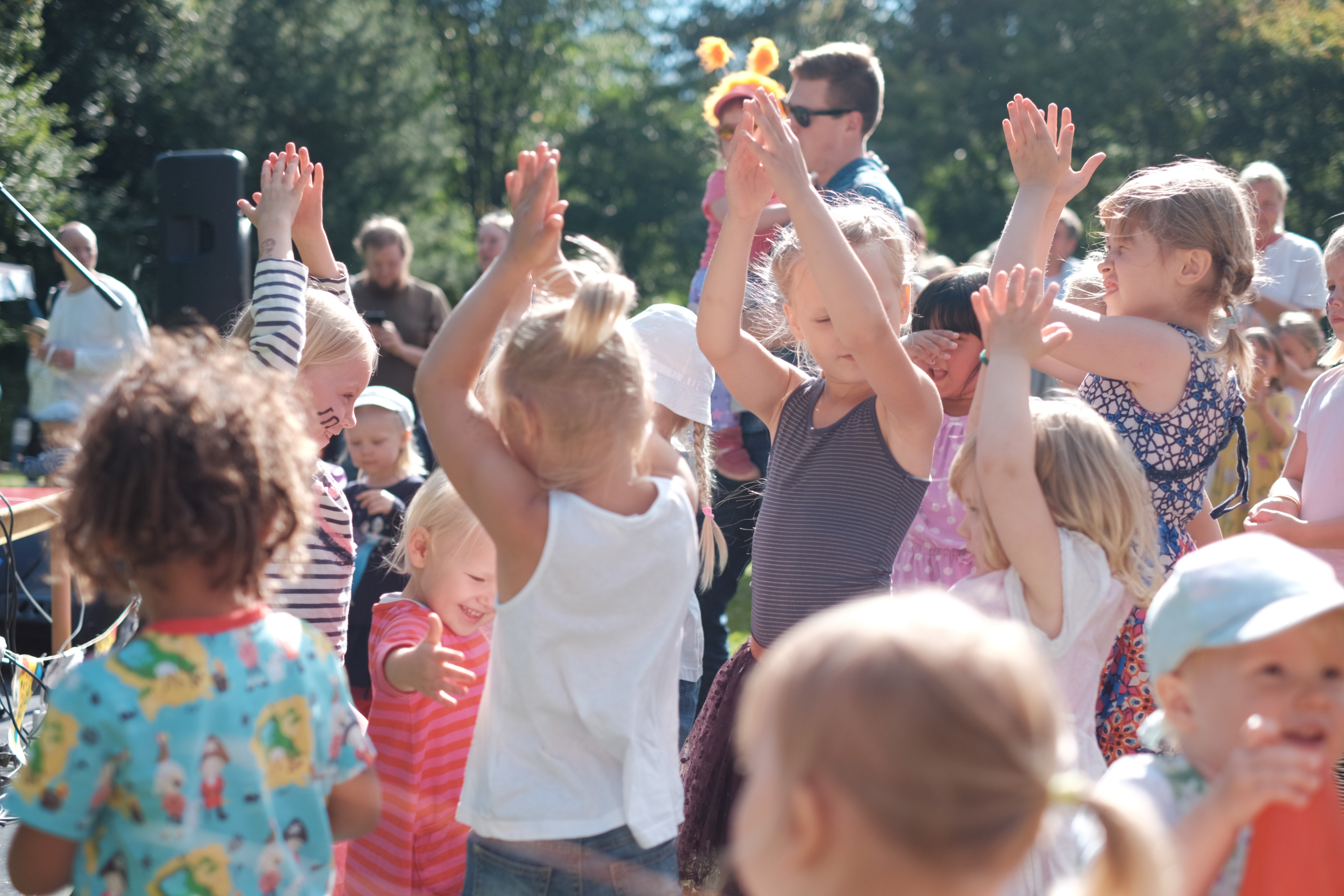
Pienten Helsinki is a Finnish language blog founded and authored by Mari Nieminen to help families discover things to do and explore in the Helsinki region. The blog was inspired on a rainy day in 2017 when Mari, a mother of two, realized that while Helsinki offered numerous child-friendly locations and activities, information about them was scarce. She set out to consolidate tips and data previously scattered across various city divisions, libraries, and organizations.
2017: Pienten Helsinki Site Created
I helped Mari set up the original pientenhelsinki.fi. We originally used Google’s Blogger platform but at some point I got the brilliant idea of setting up a WordPress site for her. Since I also wanted to try my hands at website development, I decided to set it up as self-hosted site.
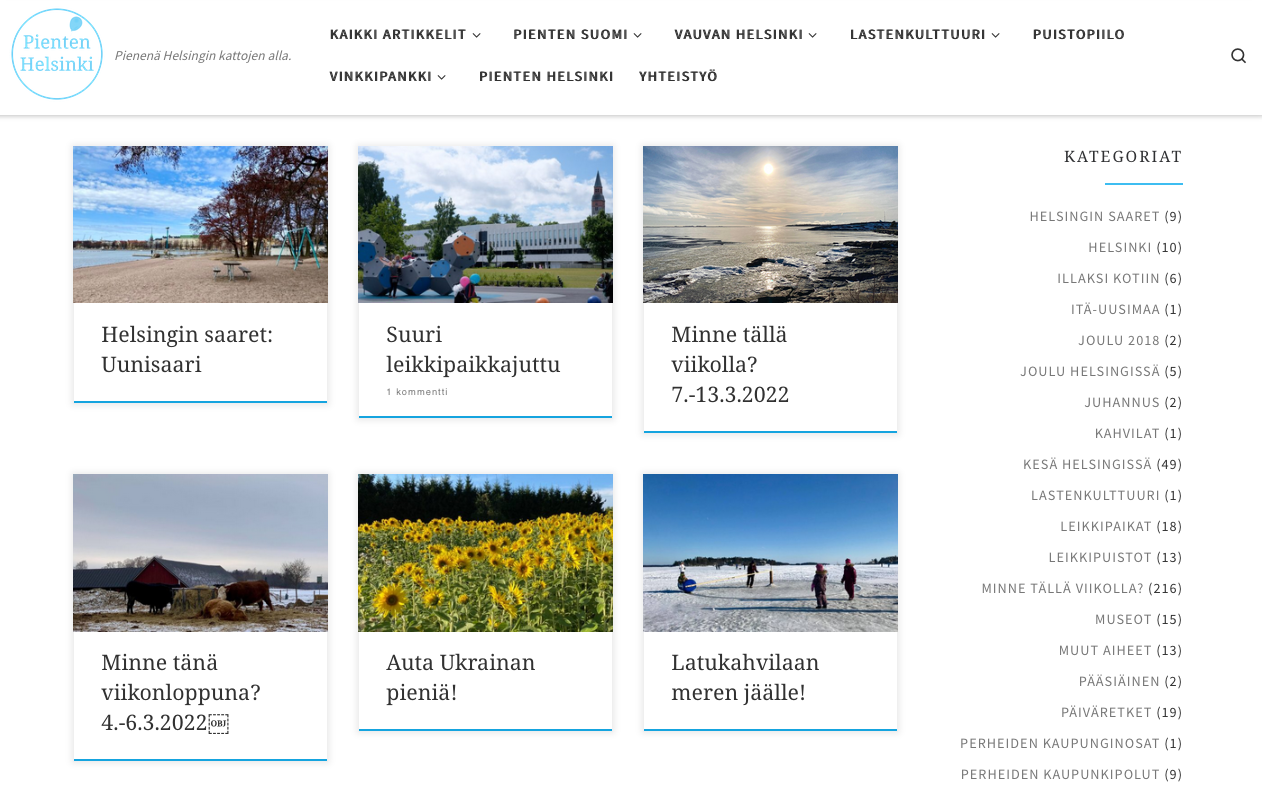
Pienten Helsinki on WordPress
People love to hate WordPress, but I’m not going to dig on WordPress or its hosting provider. Wordpress is still by far the most popular blogging platform for good reason. It’s easy to use with a vibrant addon marketplace.
The Wordpress site served Pienten Helsinki for years and helped Mari grow her audience to a peak of over 250 000 visits per year which, given the context, i.e. families in the Helsinki region and absolutely no marketing budget, is an astonishing feat!
The WordPress Issues Pile Up
The thing about self-hosted Wordpress sites is that while it does offer the opportunity to manage everything yourself, it also allows you to massively cock stuff up. Wordpress updates, addons that inject javascript directly into the page. Optimizations that suddenly stop optimizing and run amok. We’ve experienced them all.
The Cost of Self-hosting
Our hosting provider used a traditional web hosting service where you pay for storage and set amount of bandwidth. For normal blogs this is usually fine, but when the popularity Pienten Helsinki suddenly spiked we became victims of our own success. Suddenly the bandwidth limit exceeded and we were faced with the option of either buying extra of watching the site tank in SEO ranking since it returned 509 errors. In the end we paid, but the financials weren’t making sense. We were paying 20 euro a month for 10 Gigs of disk space and 60 GB of traffic a month, which is about 400 visitors per day. In 2026, this is frankly a ripoff.
The site brings in some money through ad sales, but finding the righ advertisers for this specific niche is tough, especally since we’ve stayed away from networkds like Google Ads to keep the site’s integrity intact.
The Solution: Migrating to Hugo, Github and Cloudflare Pages
For a couple of years now I’ve known that at some point we’d have to come up with a permanent solution to the Wordpress issues and costs. My heureka moment came in early 2026 while exploring how the blogging / personal sites have evolved since 2017, when we first set up Pienten Helsinki. While discussing this with AI (Gemini and Claude are my go-to’s) I learned about Hugo.
What is, and Why Hugo?
In Hugo’s own words:
Hugo is one of the most popular open-source static site generators. With its amazing speed and flexibility, Hugo makes building websites fun again.
Hugo is open source and free to use. It is distributed under the Apache 2.0 License.
The key here is static site. I’ve tinkered with HTML and CSS for years, and while it seems all the cool bro’s seem to want to JavaScript all the things, I prefer good old fashioned websites. Remember Geocities, Microsoft Frontpage and the dancing baby gif animation? That’s what I gew up with! Free and open source is also something that’s important to me on a philosophical level, but frankly also on a purely financial level.
My testbed for Hugo is in fact this blog you’re reading now. One of the reasons I set this up was to get to know Hugo before commiting to the massive migration of Pienten Helsinki.
Saving to Github and hosting on Cloudflare Pages
For those unfamiliar with Github, I would describe it as an online folder, where all the information is stored. Not only that, the folders are backed up, so if I cock something up again, I can always rewind.
The folders containing the sites are then read by Cloudflare Pages which creates (or more correctly, builds) the actual site.
The benefits of this setup compared to a self-hosted Wordpress site are obvious
- I have backups and backups of backups,
- I have full control over what is pushed and what the site contains. No dependencies that I have no control over, and most importantly:
- Cloudflare pages offers unlimited bandwidth and up to 10 gigabytes of storage on its R2 bucket for free.
The Migration Project
For years, of the many reasons that was holding me back from even thinking about migrating the Wordpress site, one was the fact that I know enough about SEO to know that any migration project of this scale is incredibly hard and takes a lot of time.
And then Generative AI came along.
With the help of Claude Code on VSCode, I am now able to analyze, plan, design and implement just by writing what I’d like to see and then iterating with the AI. I know this has been written about to death, but for people like me who have a basic understanding about programming and web technology, but are by no means developers in the actual sense, this is truly groundbreaking.
My workflow for the Pienten Helsinki project mirrored that of any project. First we looked at the current state, then we planned of what we’d like to achieve, then we implemented. And just to be clear, when I say “we”, I’m talking about me and Claude. I think of this as a partnership where I am the Product Manager and Claude is my designer and developer.
The Analyzing Phase
The first step was to download the entire Wordpress page and let Claude Code analyze the contents. The findings were interesting to say the least:
- Pienten Helsinki had 641 blog posts, including some that had carried over from the original Blogger site
- Claude found over 22 000 images, approximately 9.2 Gigabytes worth in total. For a blog with 641 posts with on average 3 images per post, that didn’t make any sense.
So the first step was actually trying to figure what the hell was going on with the images. I asked Claude to check which images were actually being used ofr the articles, and it came back with 1082 images.
Turns out, over the years, some page optimization tools had optimized the images by simply making smaller thumbnails and lower resolution versions of them. At some point, something had obviously gone from bad to worse, and the images had been multiplied by 21. The good news was that we no longer needed over 10 gigs of storage, since the original images were in fact just under one gigabyte comined.
The Planning Phase
The planning phase was basically just me talking to Claude Code on VSC. The original instructions were to plan the migration to Hugo, that would be hosted on Cloudflare, ensuring that the page structure would stay intact so as to have as little of a negative impact on SEO as possible.
For the theme, I asked Claude to look at the old site’s color scheme and try to match it as closely as possible. I did, however ask Claude to suggest improvements to it as well. Below is an excerpt from CLAUDE.md
Layout & Design System
Featured Hero (Homepage & Category Pages)

The featured hero displays a prominent post at the top of list pages (homepage and category pages). Key details:

- Selection logic: Displays the newest post with featured: true in frontmatter; falls back to the latest post if none are marked featured
- Frontend CMS field: Add a featured boolean field to the post editor (Sveltia) to mark any post as featured
- Layout: Full-width image with dark gradient overlay; text overlays the gradient. Text aligns left with max-width: 1100px, matching the .container--wide layout below
- Content: Category pills, title, 140-char excerpt, date, and "Uusi" (New) badge for posts < 7 days old
- Mobile: Height reduced to 240px; smaller font sizes
- Deduplication: On homepage page 1, the featured post is skipped in the card grid below to avoid duplication
Image Hosting on Cloudflare R2
Both me and Mari take pride in the fact that all the images (excluding paid ads or images provided by our partners) are our own. My hobby is photography and I love that my pictures are used for this project too.
The hosting of high quality images can be expensive (just look at what we paid for the Wordpress site) but luckily Cloudflare has a solution for this as well: R2 object storage which, for the incredibly low price of 0 € offers 10 GB of storage an no egress fees, meaning a spike in users won’t suddenly cause unexpected costs. Even the paids version is incredibly generous, so even if we at some point end up exceeding the 10 GB limit, the extra cost would be measured in a few euros per month.
So at this point I had a solution for the images. Now I simply need to transfer the 1082 images that the site used, while maintaining the image path to the new domain (images.pientenhelsinki.fi). This is where Claude Code truly shined.
- It pulled a list of images that where being used (even finding a dozen that weren’t use anywhere, cool),
- decoded the folder structure, then rcloned all the images to the R2 bucket that it helped me set up. All this in a few minutes!
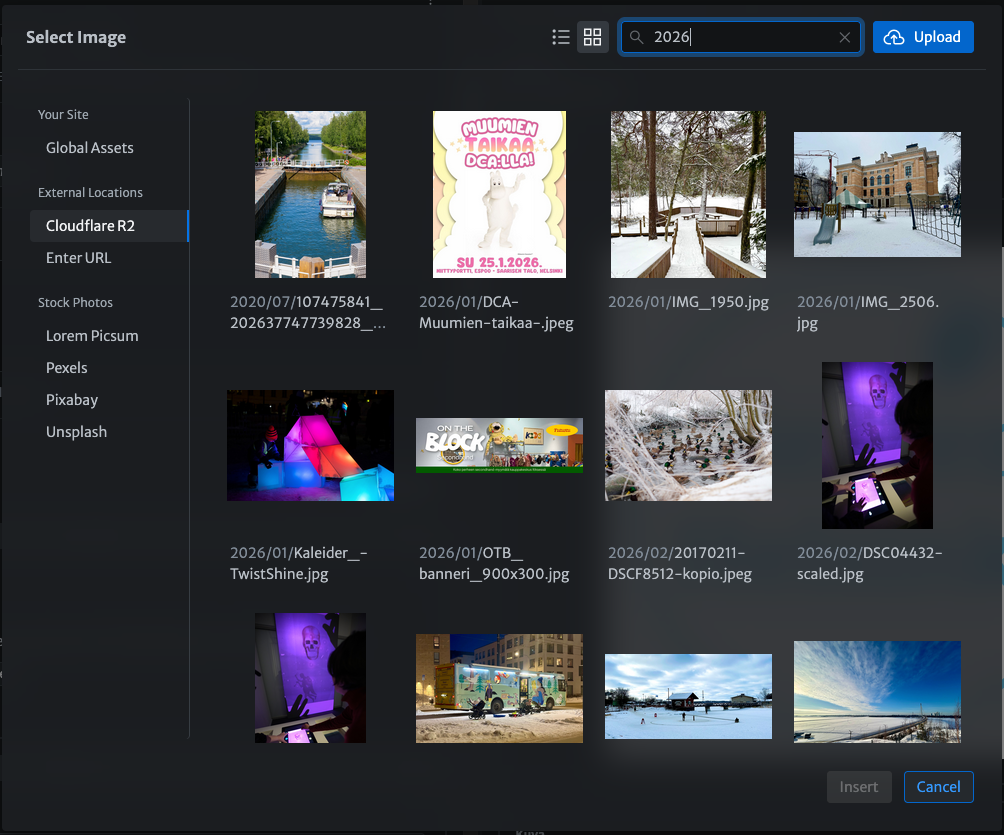
The only issue with R2 was that its interface is behind the Cloudflare Dashboard, which I’d rather not open up for simple editorial use. Luckily, we found a solution for that too:
Enabling Easy Content Management with Sveltia CMS
As Mari will be the one writing and maintaining the new site, it was important to have a good and easy to use Content Management System (CMS).
Sveltia CMS is, in their own words:
Simple, modern, powerful, open source: best free CMS for SMBs, nonprofits and developers
The one killer feature that Sveltia CMS does provide in comparison to for example Decap is native support for Cloudflare R2. This solved perhaps the greatest challenges I was facing, namely:
- Where to store all the images?
- How to integrate this image hosting service with the CMS so Mari could easily upload and chose the image?
With this integration available it became a no-brainer to transfer all of the old images to Cloudflare R2 and enable the integration to Sveltia CMS.
The Switch
So to recap, up this point:
- We established that Claude Code could do all the heavy lifting. It could:
- Design and Create the Hugo site
- Migrate all posts and pages to the new site while maintaining the same page structure and slugs, which was critical for SEO
- Pull all the images that are being used, maintaining the image paths and folders, and rclone them to Cloudflare R2.
- We can store the site on Github, enabling us to have the backup and redundancy if something were to ever go wrong (not to mention should we ever want to migrate from Cloudflare).
- We have solid hosting for the site and the image content on Cloudflare.
- We had a functioning CMS solution that was easy-to-use.
I ran the server locally and later on Cloudflare .dev domains to check the functionality live. After about a week of fine tuning, it was ready for the great switch.
Go-live of the New Pienten Helsinki
On April 3rd, 2026 (Good Friday) at 00:30 we were ready to flip the switch. The domain transfer initated and a few minutes later the new Pienten Helsinki officially live.
New Features of the New Pienten Helsinki site
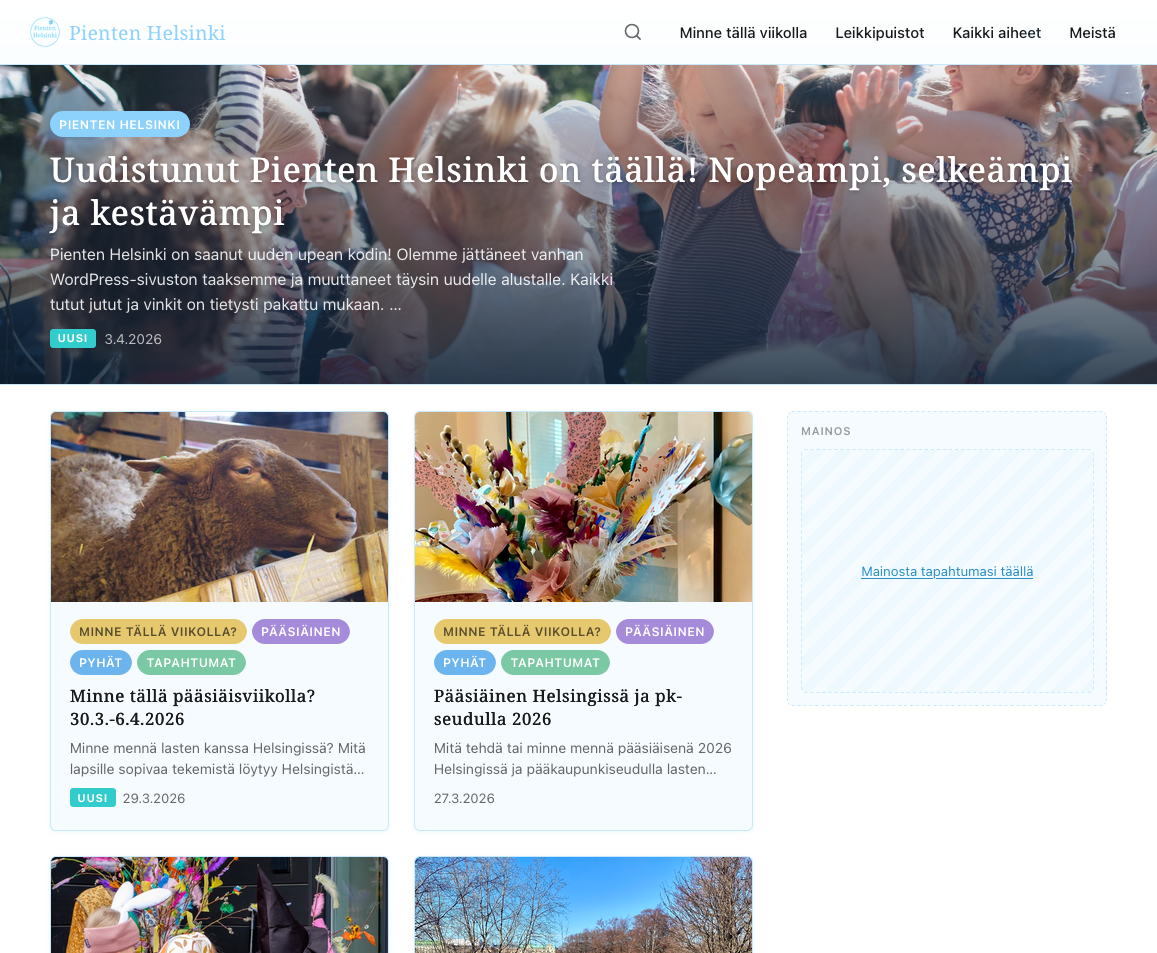
A few improvements have been made in comparison to the old page. The most impactful are, in my opinion:
- A new Table of Content inside the posts and pages. This is a native Hugo feature that’s actually been requested by the readers.
- A new search search engine: PageFind that’s not only light but handles indexing quickly. The search bar design still needs some iteration.
- New placements for banner ads. While the cost of hosting the site has gone down, the cost of creating the content has not. Mari spends the equivalent of a full working week researching and writing the content for the Minne tällä viikolla writeups, not to mention the every other seasonal or specific article she write about.
- The new banner ads use the industry standard 300 x 250 px medium rectangle format. On desktop the ads float inside the article and/or are shown on the right hand sidebar. On mobile, the banners are ingested into the list page of the front page (placement can be selected manually) and inside the main content area of the posts.
- If you are an organization that is looking for ways to target the family demographic in the Helsinki region, I’d urge you to talk to Mari about the advertising opportunities Pienten Helsinki provides.
- From a user experience point of view, all the themes are clickable pill buttons on the cards of the frontpage enabling readers to quickly navigate by category. The categories are also lised in the main menu, sorted by post amount.
- The site analytics is GA4 running through Cloudflare’s Zaraz tag management. This enables the GA4 script to load on the edge, saving valuable speed. GA4 is setup to use Consent Mode v2 and we are stripping all query parameters and user agent strings to ensure that the statistics are truly anonymous.
- Privacy is important to me and Mari. GA4 is not perfect but we take every effort to respect our readers’ privacy settings. I am looking into Plausable Analytics as a potential privacy-friendly replacement of GA4.
Going Forward
Pienten Helsinki has been, and still is a labour of love of Mari. The issues the old site was having, as well as the mounting costs of maintaining it, left Mari with the hearbreaking realization that she perhaps couldn’t keep going. I created the new site as a gift to her, from myself and from all of the tens of thousands of people who have enjoyed her content for free over the years.
Even if Mari decided at some point to stop writing new content, we can at least now be assured that all the content she has created over the years will stay online for future generations.
From my part, I hope that you enjoy the new blog and that you keep using it. Please tell your friends about it too. And should you happen to represent an organization that is able to advertise on it, please do – we want to keep the content free for all, but the work Mari is doing deserves respect and recognition, and compensation.
Todo
A few features I’m still working on include:
- Dark mode. Shouldn’t be too hard. The main issue is not making it “too dark”.
- Multilanguage support. Technically this isn’t hard. The issue is more philosophical. Do we want to enable machine translated (AI) content or not?
Lopuksi suomeksi
Toivottavasti pidätte uudesta sivustosta! Tein sen lahjana hänelle meiltä kaikilta lukijoilta, sillä olenhan itsekin hyödyntänyt sivustoa ravatessani isyysvapaalla ympäri kaupunkia etsimässä lastenhoitohuoneita ja tekemistä.
Mari tekee oikeasti ihan hirmu paljon töitä tämän blogin eteen, käytännössä ilmaiseksi. Jos edustatte tai tunnette tahon, joka voisi mainostaa esimerkiksi tuotteita tai palveluita sivustolla, olkaa yhteydessä suoraan Mariin.